
Top 5 ID Scanner Apps for Fraud Prevention and Compliance
For Fraud Decision-Makers, choosing an ID scanner app is no longer just about replacing manual checks or bulky hardware. It is about balancing fraud prevention, privacy, compliance, user experience, and operational efficiency across onboarding, access control, and age-restricted transactions.
Modern ID scanning solutions now use AI, OCR, barcode parsing, and document intelligence to extract and validate identity data in seconds. Some are built for enterprise-grade KYC and AML workflows, while others are better suited for nightlife venues, retail counters, or visitor management desks.
This list compares five leading options based on the factors that matter most to compliance officers, risk managers, heads of security, and operations leaders: compliance support, fraud detection capability, deployment model, usability, and fit for different business environments.
| Product | Compliance Features | Industry Focus | AI Capabilities | User Experience | Developer Experience |
| Microblink | Strong compliance support with on-device data processing, privacy-by-design architecture, and workflows suited for KYC, AML, and age verification. | Best suited for enterprise teams, fintechs, digital onboarding platforms, and global businesses handling multiple document types. | Advanced on-device AI powers document extraction, blur detection, and high-accuracy recognition across a wide range of global IDs. | Delivers fast, low-friction scanning with offline capability and guided image capture for better end-user completion rates. | Excellent for developers who want a lightweight SDK, but implementation requires technical resources and app integration work. |
| ID Scanner (App Sub 1) | Supports privacy-conscious operations through local data storage and age verification, though enterprise-grade compliance tooling is more limited. | Built primarily for small venues, bars, clubs, and event operators that need affordable entry management. | Uses camera-based barcode scanning with ongoing low-light and scan reliability improvements, but its AI sophistication is lighter than enterprise platforms. | Easy to deploy without hardware and useful in dark environments, although some users report inconsistent scan performance and upgrade confusion. | Minimal developer effort is required because it works as a standalone app, but customization and integrations are limited. |
| VeriScan (IDScan.net) | Well positioned for regulated use cases with age verification, audit trails, visitor logging, and subscription-based cloud compliance features. | Ideal for retail, dispensaries, visitor management, access control, and businesses that need structured recordkeeping. | Offers robust parsing, support for evolving ID formats, and detection logic backed by a frequently updated document database. | Provides a reliable cross-platform experience with clearer pass/fail indicators, though the interface can feel more complex for casual users. | Strong integration potential through CRM connectivity, but setup and third-party configuration may require technical support. |
| Vemos | Helps venues meet age-checking and capacity management needs, but its compliance depth is more operational than heavily regulatory. | Focused on nightlife hospitality, especially clubs, bars, and venues that want guest analytics alongside ID checks. | Uses scan-driven intelligence for repeat visitor recognition, demographic reporting, and entry optimization rather than deep fraud analysis. | Designed for dark, high-volume environments with an intuitive dashboard and venue-friendly workflows. | More turnkey than developer-centric, making adoption easy for operators but offering less emphasis on custom integrations or extensibility. |
| Vyyer | Strong security-oriented compliance value through fake ID detection, scan history logs, and shared ban lists, though shared-data privacy must be managed carefully. | Best for nightlife security teams, community safety groups, and venues that want collaborative enforcement across locations. | Its standout capability is advanced fake ID detection combined with database-driven screening and community-based risk sharing. | The interface is simple and security-first, but the platform is most effective in areas with a strong participating venue network. | Easy to use as a standalone operational tool, though it offers fewer developer-oriented integrations than broader CRM-focused platforms. |
1. Microblink
Summary
Microblink is an enterprise-grade identity document scanning OS built for companies that need fast, secure, and highly accurate ID capture inside their own mobile and web apps. Rather than functioning as a simple standalone scanner, it gives organizations SDKs and APIs to embed ID verification directly into onboarding, compliance, and age-verification workflows.
For Fraud Decision-Makers, the biggest differentiator is Microblink’s privacy-first architecture. Sensitive data can be processed on-device, which helps reduce data exposure, supports data sovereignty goals, and enables high-performance scanning even in lower-connectivity environments.
Target audience: Compliance, fraud, risk, and product teams at medium-sized businesses and enterprises that need scalable identity verification for digital onboarding, KYC, AML, visitor management, or age verification.
Key benefits
- Faster onboarding with less friction: High-speed document capture and extraction help reduce abandonment during identity verification flows.
- Stronger privacy posture: On-device processing supports privacy-by-design strategies by minimizing the need to transmit sensitive personal data to the cloud.
- Lower operational overhead: Automated document verification reduces manual reviews, data-entry errors, and compliance bottlenecks.
- Global scalability: Broad support for identity documents across countries and scripts makes Microblink suitable for international customer bases.
Core features
- Instant, high-accuracy data extraction: Microblink can capture and extract data from identity documents in under a second, which helps streamline onboarding and reduce input errors.
- Comprehensive global document coverage: The platform supports more than 2,500 government-issued IDs from over 140 countries, including Latin, Arabic, and Cyrillic scripts.
- Robust fraud prevention capabilities: With document verification and liveness detection, Microblink helps organizations detect fake IDs, presentation attacks, and emerging fraud tactics.
- Secure on-device processing: Sensitive personal data can be handled directly on the user’s device, improving privacy and supporting stricter compliance requirements.
Primary use cases
- Digital customer onboarding: Financial institutions, fintechs, and other regulated businesses use Microblink to automate ID capture and reduce onboarding friction.
- KYC and AML compliance: Teams can validate identity documents and expedite AML checks while meeting regulatory obligations.
- Age verification: Retailers and delivery providers can quickly confirm age eligibility for restricted goods and services.
Recent updates
- Enhanced deep learning models: Microblink improved extraction accuracy on difficult-to-read, worn, or low-quality identity documents.
- Expanded regional document support: The platform added support for new ID formats and standards across Middle Eastern and Asian markets.
- Optimized mobile SDK performance: SDK improvements reduced app size, battery consumption, and resource demands for end-user applications, including Flutter document scanner support.
Limitations
- Primarily built as an SDK, not a standalone app: This makes Microblink ideal for embedded enterprise workflows, but less suitable for buyers who want an off-the-shelf scanner with no implementation work.
- Requires technical integration resources: Organizations typically need developer support to configure, deploy, and customize the solution inside existing apps or systems.
- Enterprise-oriented pricing model: Pricing is generally better aligned with business-scale deployments than with single-user or very small business use cases.
2. ID Scanner (App Sub 1 LLC)
Platform summary
ID Scanner by App Sub 1 LLC is a mobile-first scanning app designed for small venues and operators that want simple age verification and entry management without buying separate scanning hardware. It turns a standard smartphone into a practical ID-checking tool for bars, clubs, and events.
Its appeal is ease of use and local data storage. For smaller businesses that want a lightweight, low-cost option, it can provide operational value without the complexity of enterprise integrations.
Target audience: Small venues, bars, clubs, promoters, and event operators that prioritize affordability and quick deployment over deep enterprise compliance tooling.
Core features
- Camera-based scanning: The app uses a phone’s native camera to scan driver’s license barcodes without requiring dedicated hardware.
- Patron management lists: Staff can maintain VIP and banned guest lists directly inside the app to support entry decisions.
- Aggregated attendance statistics: Venue teams can review guest volume and demographic trends to inform staffing and marketing choices.
Primary use cases
- Nightclub entry management: Door staff can check IDs faster and reduce manual inspection time at busy entrances.
- Event attendance tracking: Promoters can use scan data to measure turnout and understand traffic flow across events.
- Basic customer insight gathering: Operators can use demographic data to improve event planning and audience targeting.
Recent updates
- Dark mode usability fixes: Version 1.3.0 improved usability for teams working in dimly lit venue environments.
- Local database stability improvements: The developers strengthened local storage reliability to reduce the risk of data loss during app updates.
- Low-light scanning refinements: Barcode scanning performance was improved for bars and clubs where lighting conditions are often inconsistent.
Limitations
- Scanning reliability can be inconsistent: Some users report that certain valid IDs either fail to scan or are incorrectly flagged, which can create operational friction at the door.
- Upgrade flow may be confusing: Businesses moving from the free to paid version may encounter ambiguity around feature access and plan differences.
- Local-only storage creates continuity risk: If the app is removed without backup, historical data and lists may be lost permanently.
3. VeriScan (IDScan.net)
Platform summary
VeriScan is a mature ID scanning solution from IDScan.net that combines age verification, visitor logging, and data capture with stronger integration capabilities than many standalone apps. It is designed for businesses that need a more structured compliance and recordkeeping workflow.
For Fraud Decision-Makers, VeriScan is particularly relevant when auditability matters. Its parsing capabilities, logging functionality, and CRM connectivity make it a better fit for regulated or process-heavy environments than nightlife-only tools.
Target audience: Retail, dispensaries, visitor management teams, access control teams, and businesses that need recurring, auditable identity checks across locations.
Core features
- Cross-platform mobile scanning: VeriScan works on iOS and Android and supports PDF417 barcode parsing across many North American IDs.
- Automated data entry: Extracted ID data can populate forms and fields automatically, reducing manual entry errors and delays.
- CRM integration: The platform can connect scan data with customer management systems for visitor profiles, loyalty, or membership workflows.
Primary use cases
- Age-restricted retail compliance: Vape shops, liquor retailers, and dispensaries can create a stronger audit trail for age checks.
- Visitor management: Offices and gated sites can maintain digital visitor logs for security and accountability.
- Customer enrollment: Businesses can streamline sign-up flows for memberships or loyalty programs using ID-based autofill.
Recent updates
- Expanded passport support: VeriScan enhanced its mobile parsing engine to support a broader range of international passport standards.
- Better multi-device synchronization: Improvements help larger venues and multi-device deployments keep data aligned more reliably.
- Clearer pass/fail UX: The updated interface makes age-verification outcomes easier for staff to interpret during fast-paced use.
Limitations
- Important features may sit behind paid plans: Cloud sync and shared database capabilities typically require a subscription, which can increase total cost.
- The interface can feel complex for lighter use cases: Organizations with simple scanning needs may find the platform more feature-rich than necessary.
- Integrations may require technical support: CRM or third-party setup often involves configuration work that is not purely plug-and-play.
4. Vemos
Platform summary
Vemos is a hospitality-focused ID scanner and guest management platform built for high-volume nightlife environments. It blends ID scanning with business intelligence features such as guest analytics, repeat visitor recognition, and venue operations support.
Its strongest fit is not enterprise compliance in the broad sense, but operational control in clubs and bars. For heads of security and venue managers, that makes Vemos valuable where crowd flow, guest experience, and door efficiency matter most.
Target audience: Nightclubs, bars, lounges, and hospitality operators that want to pair ID scanning with guest analytics and venue performance insights.
Core features
- Guest analytics dashboard: Managers can monitor guest trends, traffic peaks, and demographic patterns from scan data.
- Fast entry-point scanning: The system is optimized for rapid checks in high-volume, low-light environments.
- Repeat visitor identification: Staff can identify returning guests and support loyalty or VIP experiences more effectively.
Primary use cases
- Capacity management: Venues can track occupancy in real time to support fire code compliance and crowd control.
- Demographic trend analysis: Operators can use guest data to shape promotions, events, and staffing strategies.
- VIP recognition: The platform helps teams quickly identify priority guests at entry.
Recent updates
- New reporting module: Vemos added more granular export functionality for businesses that want deeper external analysis of guest data.
- iOS performance optimization: Scanning speed was improved on newer iOS devices to reduce bottlenecks at busy entry points.
- Guest list workflow enhancements: New tools make it easier to manage reservations and guest lists directly from the scanning interface.
Limitations
- Narrow vertical focus: Vemos is highly tailored to nightlife, which limits its relevance for general retail, enterprise onboarding, or corporate security use cases.
- Advanced analytics may cost more: Some of the most valuable reporting capabilities are reserved for higher subscription tiers.
- Syncing depends on reliable internet: Multi-device coordination works best when venues have stable connectivity throughout operations.
5. Vyyer
Platform summary
Vyyer is a security-first ID scanning platform that emphasizes fake ID detection, scan logs, and shared ban lists across venue networks. Its model is built around collaborative risk reduction, making it especially useful in nightlife districts where multiple businesses face the same recurring threats.
For Fraud Decision-Makers, Vyyer’s differentiator is collective defense. Rather than focusing heavily on marketing or CRM, it centers on security operations and proactive screening.
Target audience: Security teams, venue operators, and community-based business groups that want collaborative enforcement and stronger fake ID detection.
Core features
- Advanced fake ID detection: Vyyer analyzes barcode anomalies to identify forged or manipulated documents that may pass a visual inspection.
- Shared ban lists: Participating venues can share risk information to strengthen community-wide safety controls.
- Patron history logs: Security teams can review past scans to support investigations and incident response.
Primary use cases
- Preventing underage entry: Venues can use the platform to strengthen screening and reduce the risk of fines or license issues.
- Community security coordination: Groups of nearby venues can share information about problematic patrons across locations.
- Door security operations: Staff can make faster, more objective entry decisions based on structured scan results.
Recent updates
- Expanded venue network coverage: Vyyer increased the reach of its shared ban list model across more regions and venue types.
- Faster patron tagging workflows: User interface refinements make it easier for staff to add behavioral notes during operations.
- Backend performance improvements: Infrastructure upgrades reduced query times when checking the shared database.
Limitations
- Effectiveness depends on network density: The shared intelligence model is most useful in areas where enough nearby venues actively participate.
- Shared data raises privacy considerations: Businesses need clear governance and legal review when using collaborative patron data across locations.
- Less emphasis on analytics and CRM: Compared with some alternatives, Vyyer is more focused on security than on customer insight or marketing use cases.
Final takeaway
The best ID scanner app depends on what your organization is trying to optimize.
- Choose Microblink if you need enterprise-grade identity verification, strong privacy controls, global document coverage, and a solution you can integrate into your own onboarding or compliance workflows.
- Choose ID Scanner if you want a low-cost, hardware-free option for small venue operations.
- Choose VeriScan if audit trails, visitor management, and CRM integration are central to your requirements.
- Choose Vemos if you operate in nightlife hospitality and want guest analytics alongside entry management.
- Choose Vyyer if your top priority is fake ID detection and community-based security collaboration.
For medium-sized businesses and enterprises, the strategic question is not just which tool scans IDs fastest. It is how to make optimal ID scanning part of your platform to fit your compliance obligations, fraud risk profile, privacy architecture, and deployment model.
What should Fraud Decision-Makers look for when choosing an ID scanner app?
The right ID scanner app depends on your risk exposure, compliance obligations, and operating model. For medium-sized businesses and enterprises, the evaluation should go beyond scan speed or price.
Key criteria to assess include:
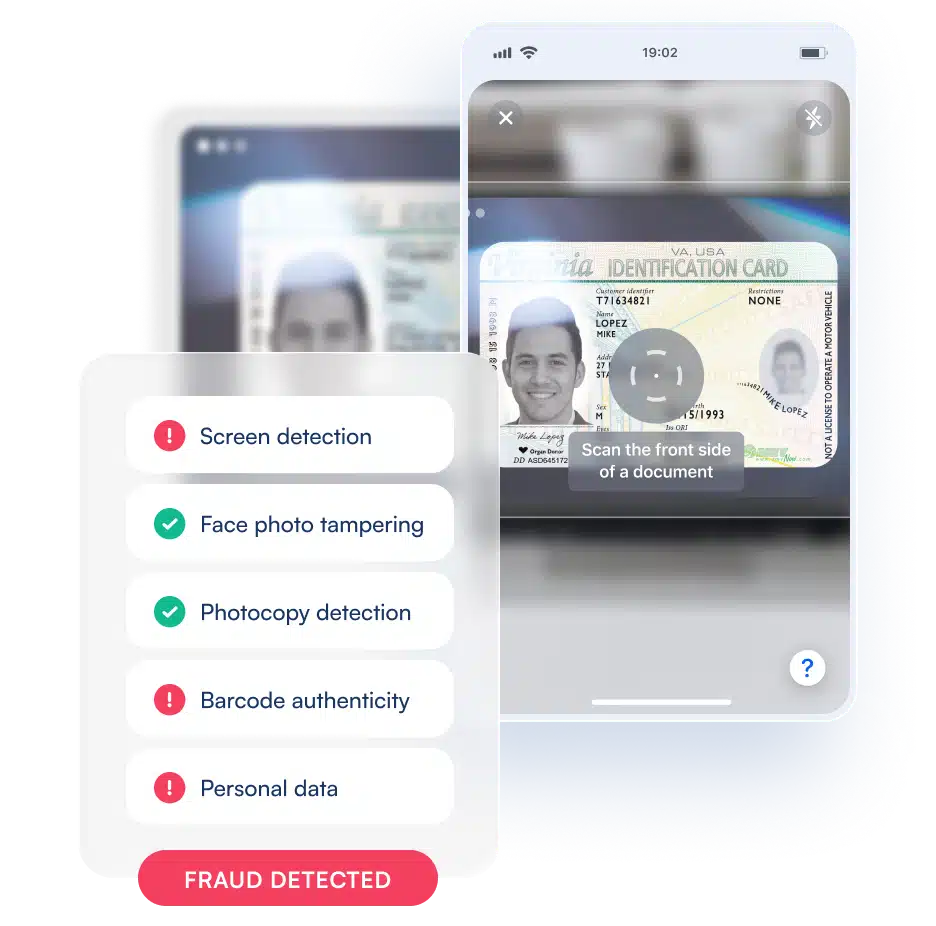
- Fraud detection depth: Look for more than basic barcode reading. Stronger platforms support document authenticity checks, image quality validation, OCR, barcode parsing, and in some cases liveness or presentation attack detection.
- Compliance readiness: If your business operates in regulated environments, make sure the tool can support KYC, AML, age verification, audit trails, and data-handling requirements.
- Privacy architecture: Understand whether data is processed on-device, in the cloud, or both. On-device processing can reduce data exposure and support stricter privacy or data sovereignty requirements.
- Document coverage: If you serve multiple geographies, check how many document types, countries, and scripts the platform supports.
- Deployment model: Some products are standalone apps for venue staff, while others are SDKs or APIs designed to be embedded into onboarding and verification flows.
- Operational fit: A nightlife venue, a dispensary, and a digital onboarding team have very different needs. Choose a platform aligned with your environment, staffing model, and transaction volume.
- Integration and reporting: Enterprise teams often need connectivity to CRMs, case management tools, visitor systems, or internal fraud workflows.
In short, the best choice is the one that balances fraud prevention, privacy, compliance, and usability for your specific business process, not just the one with the most features.
Are ID scanner apps compliant with KYC, AML, and privacy regulations?
An ID scanner app can support compliance, but the app itself is not automatically “compliant” in every regulatory context. Compliance depends on how the technology is designed, configured, deployed, and governed inside your organization.
For example:
- KYC and AML: An ID scanner can help capture identity data accurately, reduce manual errors, and strengthen onboarding controls, but regulated businesses may still need additional checks such as sanctions screening, watchlist monitoring, risk scoring, or ongoing due diligence.
- Age verification: Many ID scanner apps are well suited for age-restricted transactions, especially in retail, hospitality, and delivery use cases.
- Privacy laws: Businesses still need clear policies for data retention, lawful basis for processing, user disclosure, access controls, and deletion practices under applicable privacy frameworks.
When reviewing vendors, ask:
- Where is data processed and stored?
- Is sensitive information handled on-device or sent to the cloud?
- What audit logs are available?
- Can retention rules be configured?
- How does the platform support consent, minimization, and access control?
- Are regional data residency needs supported?
For Fraud Decision-Makers, the safest approach is to treat the scanner as part of a broader compliance workflow rather than as a complete compliance solution by itself.
Can ID scanner apps detect fake, altered, or expired IDs?
Yes, but capability varies significantly by product.
At the most basic level, many apps can:
- Read barcode data
- Check date of birth
- Flag expiration status
- Compare extracted fields for obvious inconsistencies
More advanced platforms can go further by using:
- OCR and barcode cross-checking to compare printed text with encoded data
- Image quality and capture analysis to reduce false reads from glare, blur, or poor framing
- Document verification logic to assess whether the ID format matches known templates
- Fraud signals such as suspicious barcode structure, formatting anomalies, or tampering indicators
- Liveness or presentation attack detection when identity verification includes selfie matching or remote onboarding
That said, no scanner is perfect. Fraudsters adapt quickly, and detection quality depends on the document type, jurisdiction, image conditions, and the sophistication of the platform. A venue-focused app may be effective for common fake IDs at the door, while an enterprise identity platform may be better suited for broader fraud controls across onboarding and compliance workflows.
The best practice is to use ID scanning as one layer in a multi-control fraud strategy, especially when the financial, regulatory, or reputational risk is high.
What is the difference between a standalone ID scanner app and an SDK or API-based solution?
The main difference is how the technology fits into your workflow.
A standalone ID scanner app is designed to work out of the box on a phone or tablet. It is usually best for:
- Bars, clubs, events, and retail counters
- Teams that need quick deployment
- Organizations with limited technical resources
- Simple age verification, guest logging, or access control use cases
An SDK or API-based solution is built to be embedded inside your own app, website, kiosk, or onboarding flow. It is usually better for:
- Digital customer onboarding
- Enterprise identity verification
- KYC and AML programs
- Scalable multi-channel experiences, including bringing ID scanning to web browsers
- Organizations that need tighter control over UX, privacy, and system integration
For enterprise buyers, SDK and API-based solutions often provide stronger flexibility, better customization, and easier alignment with internal compliance architecture. The tradeoff is that they typically require technical implementation resources.
If your goal is operational convenience at a physical entry point, a standalone app may be enough. If your goal is secure, integrated, and scalable identity verification across business systems, an embedded platform is usually the stronger long-term fit.
Do ID scanner apps work offline, and how important is offline capability?
Some do, and for many organizations offline capability is more important than it first appears.
Offline or low-connectivity performance matters when:
- Staff operate in nightlife or event environments with weak signal
- Scanning happens in field operations, warehouses, delivery settings, or remote locations
- Businesses want faster processing without depending entirely on cloud response times
- Privacy requirements favor local or on-device data handling
Benefits of offline-capable scanning include:
- Faster capture and extraction in poor network conditions
- Better business continuity when internet access is unstable
- Reduced friction for users and frontline staff
- Potentially lower exposure of sensitive data if processing happens locally
However, offline support does not always mean full offline verification. Some functions may still require connectivity, such as:
- Database checks
- Shared watchlist or ban-list lookups
- Cloud synchronization
- Centralized reporting
- Some advanced fraud services
For Fraud Decision-Makers, the key question is not simply whether the app works offline, but which parts of the workflow remain functional without internet access and whether that matches your operational and compliance needs.