
BlinkID v7 release: Major update features reduced SDK size and easier UI customization
Major upgrades can sometimes be overwhelming as they require booking additional engineering time for updating and understanding changes, but not this one. Our flagship product is packed with features that simplify integration by clarifying the API scanning process and codebase.
Integration Improvements
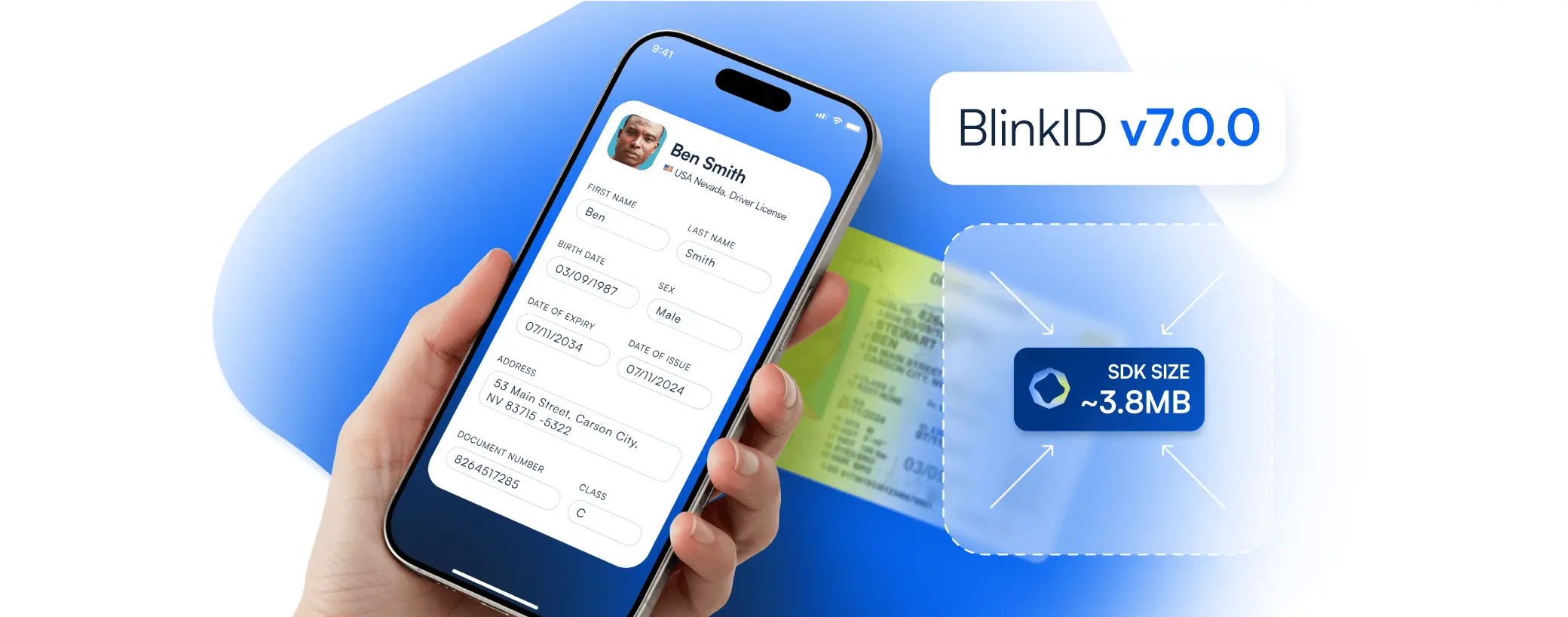
- Reduced SDK size: By incorporating dynamic model loading, BlinkID v7 reduces download size from ~10 to ~3.8MB, lowering memory usage.
- Streamlined API: We’ve transitioned from managing multiple recognizers (e.g., SingleSide, MultiSide) to a unified BlinkIDScanningSession, streamlining the scanning process under a single, session-based API. Now, there’s no more need to switch between recognizers.
- Backward compatibility: Existing production keys will continue to work with v7.0 for our customers. Upgrading to v7 doesn’t require a new license key.
Major API Changes
- New session-based API
- Replaces the recognizer-based approach with a single, streamlined session model for easier scanning logic and better maintainability.
- Easier UI management & modular SDK
- UI is now built on new mobile development frameworks: SwiftUI for iOS and Jetpack Compose for Android.
- The SDK is modular:
- Blinkid component is used for scanning logic.
- Blinkid UX is used for prebuilt UI components.
- Easier UI customization and source-available UX
- `UiSettings` enables direct customization of typography, colors, and strings.
- The source-available UI layer allows advanced modifications to implement the client’s branding and accessibility.
- Older settings have been renamed to be more intuitive, including:
- blurStrictnessLevel → blurDetectionLevel
- enableBlurFilter → skipFramesWithBlur
- glareStrictnessLevel → glareDetectionLevel
- enableGlareFilter → skipFramesWithGlare
- combineFrameResults → enableMultiFrameExtraction
- cardRotation→ documentRotation
- …
Upgrade with Ease
Our engineers have prepared a platform-specific transition guide (a part of our documentation) to help you start with BlinkID v7.0. Guides outline all major API changes and best practices for migrating existing code. Go to our documentation page to find the platform of your choice.
Our dedicated support team is always here to assist you through our Help Center. We value your input and look forward to hearing how BlinkID v7 improves your customers’ experience.
A brief look at the differences between BlinkID v6 and v7
| Feature | BlinkID v6.x | BlinkID v7.x | Benefits |
| SDK size | ~10MB | ~3.8MB | Faster installs, lighter on-device storage |
| API structure | Multi-recognizer complexity | Session-based configuration | Fewer callbacks, simpler integration |
| UI customization | Limited, config-based | Source-available UI | Easier branding & accessibility tweaks |
| Image quality checks | Basic glare & blur detection | Advanced image quality checks (UI prompts in v7.1) | Less user frustration, higher first-scan success |
| OTA updates | Not available | Coming soon | Faster access to new features and supported documents |
March 18, 2025